
VPN Lumos: Fast VPN
Midpoint Security FZCO-LLCTools
4.31.62K Reviews
- Version
- 1.71.7
- Installs
- 10.00M
- Age Rating
- Everyone
Screenshots
Our Review of VPN Lumos: Fast VPN
 Analysis by Appyee
If you're like me, you've probably found yourself in a situation where your internet connection feels about as private as a glass house. That's where VPN Lumos: Fast VPN comes into the picture. I decided to take it for a spin and see if it lives up to the hype of providing a fast and secure browsing experience.
Who benefits from a one-tap VPN?
I find this app most appealing when I want a quick change to my connection without learning a new set of networking terms. A simple VPN workflow can suit someone checking personal accounts on shared Wi-Fi, browsing while away from home, or wanting to try a different connection location. It is less suited to anyone who needs to inspect detailed connection settings or make a VPN behave in a carefully controlled way.
A useful habit is to decide what you need before connecting. If you are about to sign in to a sensitive account on a network you do not manage, turning on a VPN first is easy to remember; if you are troubleshooting a site that is already acting strangely, try it both connected and disconnected. A VPN can change how a service sees your connection, so it may solve one access problem while creating another.
Everyday use and sensible expectations
Picture arriving at a café and joining its Wi-Fi to check a message or look up directions. A VPN is an extra layer for that moment, but it is not a substitute for checking that you are on the intended network, keeping your device updated, or avoiding suspicious links. I would treat Lumos as one part of safer browsing rather than a guarantee that every online activity is private or risk-free.
That distinction matters for streaming and games, too. A VPN may help when you want your connection to appear to come from another location, but services can restrict VPN traffic or respond differently depending on where you connect. If a video will not play or a game starts behaving oddly, switching locations or disconnecting is a practical first test. I would not choose a VPN on the assumption that it can bypass every regional restriction or improve every connection.
How it fits beside other VPN choices
Compared with VPN apps built around extensive controls, Lumos puts ease of use first. That can be a real advantage if your priority is to connect quickly, but people who want to compare technical options, fine-tune individual settings, or audit a provider’s privacy practices may prefer a service that explains those details more thoroughly. A simple screen lowers the learning curve; it does not by itself prove how a service handles data.
It is also worth separating a VPN from other privacy tools. A VPN changes the route your internet traffic takes, while account security still depends on strong passwords and sign-in protections, and a VPN does not make a risky download safe. I would use it for connection privacy on networks I do not control, not as a replacement for device security or careful judgement.
Getting Started with VPN Lumos
First off, downloading and installing VPN Lumos: Fast VPN was a breeze. Available for both Android and iOS, it didn't take long before I was all set up and ready to go. The user interface is clean and straightforward, which is a breath of fresh air in the often cluttered world of VPN apps.
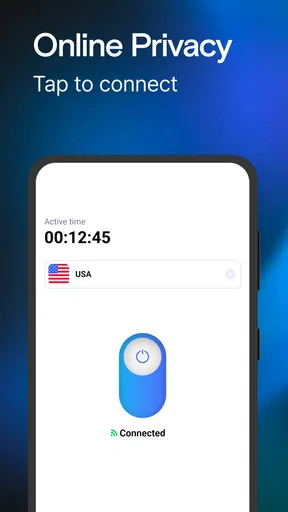
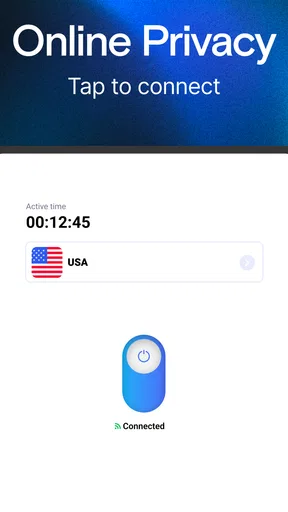
Once you open the app, you're greeted with a simple "Connect" button. No frills, no fuss. This is perfect for those of us who want to get straight to the point. After all, the last thing anyone wants is to wrestle with settings just to get online securely.
Performance and Speed
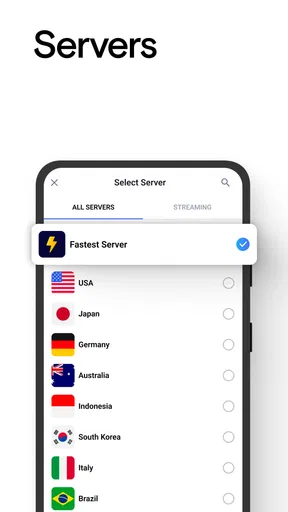
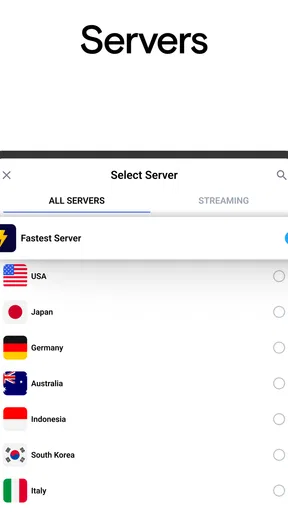
Now, let's talk speed. One of the biggest gripes with VPNs is the notorious slowdown they can cause. I was pleasantly surprised to find that VPN Lumos seems to have cracked the code on maintaining speed. Streaming videos? No problem. Downloading files? Smooth as butter. The app offers a variety of server locations, and switching between them is as easy as pie.
During my testing, I didn't notice any significant lag or buffering, which is a huge win. It feels like you’re not using a VPN at all, which is exactly what you want.
Security Features
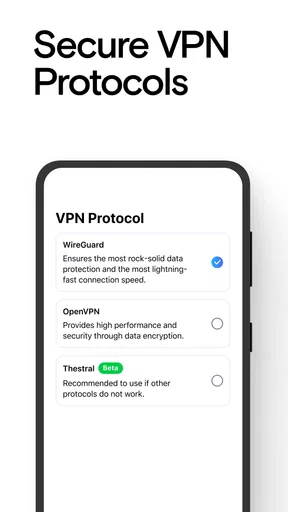
Security is the name of the game when it comes to VPNs, and VPN Lumos doesn’t skimp on this front. The app promises strong encryption protocols, which means your data is kept safe from prying eyes. Plus, it has a no-logs policy, ensuring that your internet activity remains your business and nobody else's.
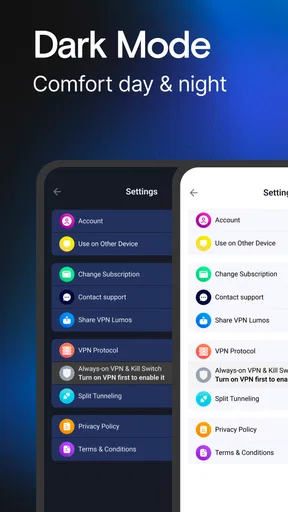
There's also a kill switch feature, which automatically disconnects you from the internet if the VPN connection drops. This prevents any accidental exposure of your IP address, which is a nice touch for the security-conscious among us.
Readability, navigation, and sensory comfort
As I mentioned earlier, the interface is refreshingly simple. You won’t find any complicated menus or overwhelming options. Everything is laid out in a way that even the most tech-challenged people can navigate. The app is designed to work seamlessly in the background, which lets you focus on what really matters: enjoying the web safely.
For someone who finds dense settings screens tiring, a prominent connection action and a modest learning curve can make routine use less demanding. I would still check the screen carefully before tapping, especially when choosing a location or responding to a subscription prompt. A clean layout is helpful, but it does not tell me whether every control supports larger text, screen readers, or other accessibility preferences.
There is a motor-related trade-off in any quick-connect design: fewer steps can mean less repeated tapping, while compact controls may be harder to use for someone with limited precision. If operating a phone is easier with voice control, an external switch, or a particular system setting, I would test the app with that setup before relying on it for travel or work. I would also avoid rushing through a connection prompt when attention is divided.
Costs, compatibility, and choosing when to connect
VPN Lumos is a free tools app from Midpoint Security FZCO-LLC, with optional in-app purchases ranging from $1.99 to $59.99 per item. The free starting point makes it easy to try the basic experience, but I would check the purchase screen carefully and decide whether any paid option fits my own needs before confirming. The app is rated for Everyone, has a 4.4 average from around 762,000 ratings, and has passed 10 million installs. It was released on February 20, 2023; version 1.70.3 supports Android 8.0 and later.
For day-to-day access, the practical question is not simply whether to keep a VPN on all the time. Some websites may ask for extra verification when your apparent location changes, and banking or workplace services can be particular about unfamiliar connections. If an important service blocks access, disconnecting briefly or choosing another location may help; for essential tasks, I would test that workflow ahead of time rather than discovering a snag when I am in a hurry.
I also think about battery and attention as part of accessibility, even when an app is easy to navigate. A VPN running in the background may be convenient, but if you are trying to conserve a phone’s charge during a long day, use it where the added privacy is useful instead of assuming every connection needs the same setup. That choice is personal and depends on the network, task, and device.
I also appreciated the quick customer support. Although I didn’t encounter any issues myself, I reached out to test their response time, and they were prompt and helpful. It's always comforting to know there's help available if you need it.
Where a simpler interface may not be enough
The main limitation I would keep in mind is that a straightforward experience can leave advanced users wanting more explanation and control. If you need a clearly documented technical setup, detailed privacy evidence, or a specific accessibility behavior, I would compare providers on those exact needs before choosing. Likewise, someone who only wants to secure one browser’s traffic may prefer a browser-based privacy feature, while a VPN is more relevant when they want to route device traffic through a VPN connection.
For readers who rely on assistive technology, the best next step is a short, low-stakes trial: open the app, locate the connection control, connect and disconnect, then see whether the labels and prompts are comfortable with your preferred settings. I would do this on a familiar network before depending on the app in a busy station or during a time-sensitive task. If a prompt is difficult to interpret or a control is hard to reach, that friction matters more than a simple home screen.
Final Thoughts
All in all, VPN Lumos: Fast VPN is a solid choice for anyone looking to secure their online activity without sacrificing speed. Whether you’re streaming, browsing, or just want to keep your personal data safe, it ticks all the right boxes. Its ease of use and reliable performance make it a strong contender in the crowded VPN market.
If you're on the hunt for a VPN that’s easy to use and doesn't slow you down, give VPN Lumos a try. You might just find it’s exactly what you’ve been looking for.
My inclusive verdict is straightforward: I would recommend trying Lumos if quick access and a simple connection flow matter more to you than extensive controls. I would look elsewhere if accessibility depends on a specific assistive feature that I have not tested, or if your work requires unusually detailed VPN configuration. A brief trial on your own phone is the fairest way to see whether its navigation, prompts, and everyday connection behavior fit you.
Verdict
Strengths of VPN Lumos: Fast VPN
- High-speed connection across servers.
- User-friendly interface for beginners.
- Strong encryption for privacy.
- Global server availability.
- No-log policy ensures data safety.
Limitations of VPN Lumos: Fast VPN
- Limited free version features.
- Occasional connection drops.
- No split tunneling option.
- Inconsistent speeds on some servers.
- Customer support lacks live chat.
Similar Picks in This Category
View All
Google LLC4.0

Gboard - the Google Keyboard
Google LLC4.5

Google Play services
Google LLC4.3

Google Play Store
Google LLC4.9

Files by Google
Google LLC4.5

SHAREit: Transfer, Share Files
Smart Media4U Technology Pte.Ltd.4.3
Frequently Asked Questions
What platforms is VPN Lumos: Fast VPN available on?
VPN Lumos: Fast VPN is available for both Android and iOS platforms. Users can download the app from the Google Play Store for Android devices and the Apple App Store for iOS devices. This ensures broad accessibility and seamless integration with your preferred mobile device.
Does VPN Lumos: Fast VPN keep logs of user data?
VPN Lumos: Fast VPN is committed to user privacy and operates a strict no-logs policy. This means that your browsing activities and personal information will not be stored or monitored. Users can feel secure knowing that their online activities remain private and anonymous.
How does VPN Lumos: Fast VPN ensure fast connection speeds?
VPN Lumos: Fast VPN utilizes a network of high-speed servers strategically located around the world. This allows users to connect to the nearest server, reducing latency and ensuring optimal connection speeds. The app's infrastructure is designed to handle high traffic efficiently, providing a smooth browsing experience.
Is there a limit to data usage on VPN Lumos: Fast VPN?
VPN Lumos: Fast VPN offers unlimited data usage for its premium users, allowing them to browse, stream, and download without restrictions. Free users may experience some limitations in data or speed, encouraging them to explore premium options for enhanced performance and features.
What encryption protocols does VPN Lumos: Fast VPN use?
VPN Lumos: Fast VPN employs advanced encryption protocols such as OpenVPN and IKEv2/IPsec to secure user connections. These protocols ensure that your data is protected from potential threats and unauthorized access, providing a robust defense against cyber intrusions and enhancing overall security.
